Claude or ChatGPT gave you a .md file? Here's how to read it
Why AI tools hand you .md files
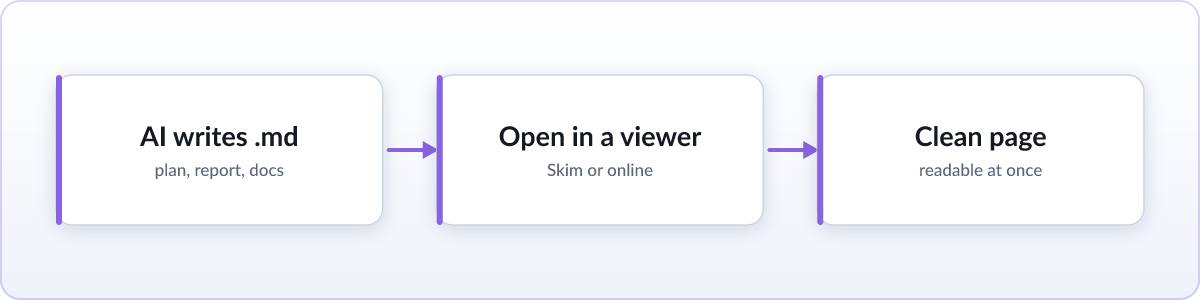
Markdown is how language models structure text: headings, numbered steps, tables, and code blocks, all written with plain characters like # and ** instead of hidden formatting. It is the format models were trained on and the format they default to, so ChatGPT and Claude exports often arrive as .md, and coding agents like Claude Code and Cursor write files such as plan.md, notes.md, or report.md straight to your disk while they work. If you open one of those in Notepad or TextEdit, you get a page full of stray # and ** marks instead of a document. The file is not broken. It just needs something that understands markdown to turn it into a formatted page.
Read it right now (no install)
For a one-off file, use the free online viewer. Drag the file onto the page and it renders instantly, fully formatted, right in your browser. It is private by design: nothing is uploaded anywhere, which matters when the file is an AI's answer to a work question you would rather not send to a third-party server. If you do not even have the file saved yet, you can paste the raw markdown text straight from the chat instead of the drag-and-drop step, and it renders the same way.
If AI files keep coming: render them automatically
If you work with an AI coding agent or ask Claude and ChatGPT for markdown answers regularly, install the Skim extension once and every .md file opens formatted from then on, with no drag-and-drop step. The detail that matters most for agent users is live reload: leave plan.md open in a tab while Claude Code or Cursor keeps rewriting it in the background, and the page updates in place as the file changes on disk, with your scroll position kept intact. You are effectively watching the agent's plan take shape in real time instead of re-opening the file after every edit. Skim also adds a one-click "Copy for AI" button, which copies the document, or just a selection of it, back out as clean markdown source, ready to paste into your next prompt.
Reading agent files like plan.md and AGENTS.md
CLI coding agents tend to drop their output files directly in your project folder, alongside your code: a plan.md before a big change, an AGENTS.md describing how the agent should behave, or a running notes.md. You can open that whole folder as a file:// address in your browser and click through the files there. Skim also adds a Folder button that takes you to the file's directory with the markdown files highlighted, so the next document is one click away, which is useful when an agent leaves several output files in the same run. For the fuller picture of Skim's AI-agent features, including copy for AI and the folder button, see the Skim homepage.
FAQ
Why does the file look like code with # and ** everywhere?
That is markdown source, not broken output. Render it, with an extension or the online viewer, to see the formatting those marks describe.
Is it safe to open a .md file an AI generated?
Yes. It is plain text and cannot run programs. Renderers like Skim also sanitize any embedded HTML before displaying it.
Can I turn the .md file into a Word doc or PDF?
Render it, then print to PDF from your browser. Or paste the raw markdown source into Word or Google Docs, both of which now import markdown directly.