Markdown cheat sheet: every syntax with examples

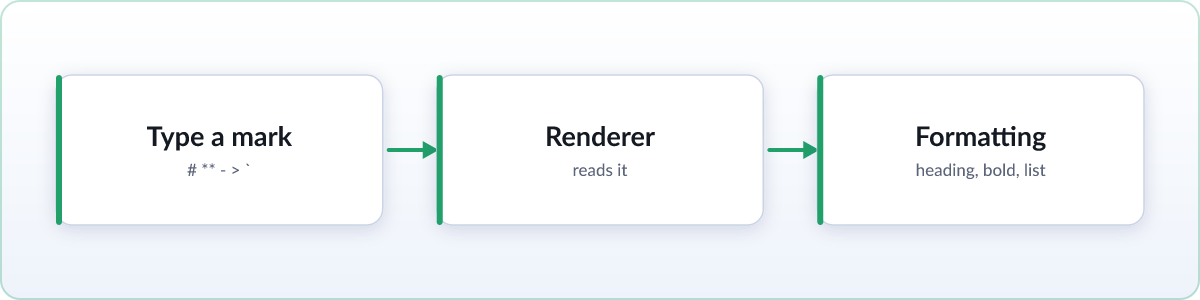
Markdown is plain text with a few light formatting marks. This page lists the syntax you will actually use, grouped by task, with the raw markdown on the left and what it produces on the right. Bookmark it and copy what you need.
Headings
Start a line with one to six # characters, followed by a space. More hashes means a smaller heading.
| Markdown | Renders as |
|---|---|
# Title | Top-level heading (h1) |
## Section | Section heading (h2) |
### Subsection | Sub-section heading (h3) |
###### Smallest | Smallest heading (h6) |
Emphasis
| Markdown | Renders as |
|---|---|
**bold** | bold |
*italic* | italic |
_italic_ | italic |
***bold italic*** | bold italic |
~~strikethrough~~ | |
`inline code` | inline code |
Both * and _ work for italic, and doubling them gives bold. Pick one style and stay consistent.
Lists
Unordered lists use a leading -, *, or +. Ordered lists use a number and a dot. Indent to nest.
- First item
- Second item
  - Nested item
  - Another nested item

1. First step
2. Second step
   1. Nested step
Task lists
A GitHub Flavored Markdown extra: put a checkbox after the list marker. Skim and GitHub render these as tick boxes.
- [ ] Not done yet
- [x] Finished
Links and images
Links wrap the visible text in square brackets and the target in parentheses. Images are the same with a leading !.
| Markdown | Renders as |
|---|---|
[link text](https://skim.md/) | A clickable link |
[link text](https://skim.md/ "Title") | A link with a hover title |
 | An embedded image |
<https://skim.md/> | An autolink (bare URL) |
You can also use reference-style links: write [link text][ref] in the body, then define [ref]: https://skim.md/ lower down. Handy when the same URL appears many times.
Inline code and code blocks
Wrap short snippets in single backticks. For multiple lines, fence the block with three backticks and name the language for syntax highlighting.
Use `console.log()` inline.

```js
const greet = (name) => {
  return "Hello, " + name;
};
```
The language tag after the opening fence (here js) is optional but gives you highlighted output.
Blockquotes
Prefix a line with >. Stack the marker to nest quotes.
> This is a quote.
> It can span multiple lines.
>
> > And it can nest.
Horizontal rules
Put three or more of the same symbol on their own line to draw a divider. Three hyphens, three asterisks, or three underscores all work.
| Markdown | Renders as |
|---|---|
*** | A horizontal rule |
___ | A horizontal rule |
Tables
Separate columns with pipes and put a divider row of hyphens under the header. Colons in the divider row set column alignment.
| Feature | Supported |
| - | - |
| Tables | Yes |
| Emphasis | Yes |
Alignment: :- aligns left, -: aligns right, and :-: centers a column. Cells do not need to line up in the source; the renderer handles spacing.
GitHub Flavored Markdown extras
GitHub Flavored Markdown (GFM) adds a few widely supported features on top of the basics. Skim renders all of these.
| Feature | Markdown |
|---|---|
| Task lists | - [x] done and - [ ] to do |
| Tables | | a | b | with a | - | - | divider |
| Strikethrough | ~~text~~ |
| Autolinks | A bare https://skim.md/ becomes a link |
Math and diagrams
Skim also renders math and diagrams that plain markdown leaves out. Inline math uses single dollar signs and block math uses doubled ones, powered by KaTeX.
Inline: $E = mc^2$

Block:
$$
a^2 + b^2 = c^2
$$
Diagrams use a fenced mermaid block, so a flowchart or sequence diagram lives right inside your markdown:
```mermaid
sequenceDiagram
  Editor->>Skim: send markdown
  Skim->>Reader: show formatted page
```