The best markdown viewer extensions in 2026: an honest comparison
What actually matters in a markdown viewer
Most of what separates these three comes down to a handful of things. Correct rendering: tables that don't break, math that shows as equations instead of raw LaTeX, code blocks with working syntax highlighting. Opening local file:// pages without a fight, since Chrome blocks extensions from local files by default and every viewer needs the same one-time permission grant. Actually being maintained, since Chrome ships changes that quietly break stale extensions and a project that hasn't updated in a while is a real risk, not a cosmetic flaw. Respecting your privacy, since these tools read files before you've decided what's in them. And, if you work with AI agents, live reload: the page keeping up automatically as an agent rewrites the file underneath it.
Markdown Viewer (simov): the long-standing leader
Simeon Velichkov's Markdown Viewer is the extension most people already have. It has around 400,000 users and a 4.3-star rating from 401 reviews on the Chrome Web Store, and it earns that install base honestly: the most rendering plugins and format options of the three, full control over the markdown parser and compiler settings, 30-plus themes, Mermaid diagrams, MathJax math, and a working auto-reload option. All of it is MIT-licensed and open source at github.com/simov/markdown-viewer. If you need an obscure GFM feature or fine control over the compiler, this is the extension most likely to already have it, and that's a genuine advantage over Skim, which keeps its rendering options simpler on purpose.
The catch is honesty about age. The Chrome Web Store listing we checked shows an update from May 2, 2024, over two years old as of this review, version 5.3, and the interface hasn't moved with it, still a dense options page from another era. File access is the standard manual toggle in chrome://extensions, with no guided setup. None of that is a reason to switch if it's already doing the job. It's still a fine choice if it already works for you.
Markdown Reader (md-reader): the polished one
md-reader's Markdown Reader is the better-looking option: a clean modern UI, Mermaid diagrams, KaTeX math, and a sidebar directory view for browsing files, all easier on the eyes than the other two. It's also genuinely active. The Chrome Web Store listing we checked shows version 3.6.21, updated June 27, 2026, days before this review, with roughly 100,000 users and a 4.7 rating from 103 reviews. That's a better rating and a much more recent update than Skim can claim today, and it's worth saying plainly: this is the extension actively winning on polish and momentum right now.
Two things worth knowing before installing. The shipping 3.x version is closed-source and sells a Pro plan for "advanced reading, customization, and workflow features" on top of a free tier (details on their pricing page), while the extension's public GitHub repo, md-reader/md-reader, holds only the old, unmaintained 2.x codebase, its own README says it exists "only to collect issues about Markdown Reader." One of those issues, #140, describes login and subscription status disappearing after a few days on v3.6.8; it's closed and labeled a bug, but worth checking before you lean on paid features. If you like the design and don't need anything Pro-gated, it's the best-looking of the three.
Skim: the pitch, plainly
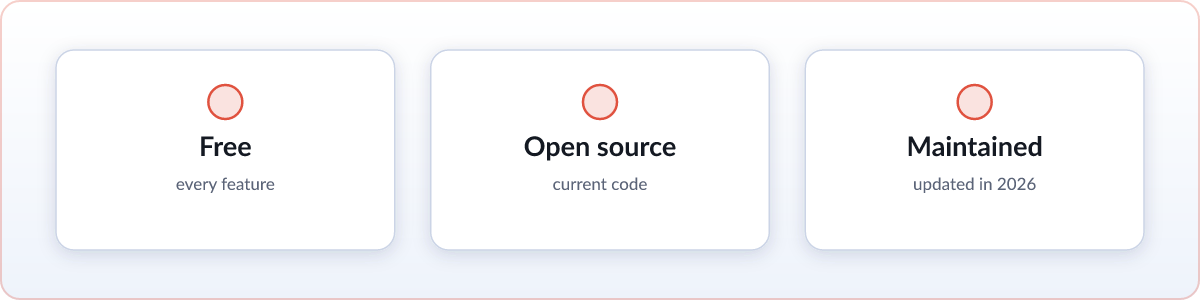
Skim is the newest of the three, built around a specific habit: reading a file an AI agent is actively writing. Everything is free, including the folder browser md-reader charges Pro for. The current source is MIT-licensed and public at github.com/skim-md/skim, not an old snapshot kept around for appearances. First run walks through the local-file permission with one guided switch instead of leaving you to find it in chrome://extensions on your own. Live reload is built specifically for agent output: leave a plan.md open while an agent rewrites it and the page updates in place, scroll position kept. It renders KaTeX math and Mermaid diagrams, and the whole extension is under 6 MB. Version 2.2 added six color schemes on top of light and dark, a zen mode, a print-quality PDF export with page margins and an optional contents page, single-file HTML export, keyboard and vim navigation, and a button that renders whatever markdown is on your clipboard, all of it free (see the release notes). For the full picture, see our overview of what Skim is.
The honest downsides: Skim is the newest of the three by a wide margin, with the smallest user base and the least real-world mileage of any extension on this page. It's newest to the stores too, so it has the fewest ratings so far. If an unproven newcomer is a dealbreaker for you, that's a fair reason to wait for it to build a track record.
How they compare
| Skim | Markdown Viewer | Markdown Reader | |
|---|---|---|---|
| Price | Free, everything included | Free | Free, with a paid Pro plan for advanced options |
| Open source | MIT, current code | MIT, current code | 2.x only on GitHub; shipping 3.x is closed source |
| Last updated | Actively, 2026 | May 2, 2024 (v5.3) | June 27, 2026 (v3.6.21) |
| Local-file onboarding | Guided, one switch | Manual toggle in chrome://extensions | Manual toggle in chrome://extensions |
| Live reload | Yes, built for agent output, scroll preserved | Yes, auto-reload polling option | Yes, live preview |
| Mermaid diagrams | Yes | Yes | Yes |
| Math (KaTeX) | Yes, KaTeX | MathJax, not KaTeX | Yes, KaTeX |
| Folder tree | Yes, free | No | Yes, sidebar directory view |
| Package size | Under 6 MB | 2.36 MiB | 11.44 MiB |
Which one should you pick?
Three honest answers, not one. If you want the most rendering plugins and format options and a track record at real scale, install Markdown Viewer; it's free, open source, and it already does the job for hundreds of thousands of people. If you care about interface polish and don't mind a Pro upsell for advanced features, Markdown Reader looks the best of the three and it's actively maintained, right now more actively than Skim. If you want everything free and open source with no paid tier at all, or you spend your day reading markdown an AI agent just wrote, Skim is built for exactly that, with live reload and folder browsing included at no cost. None of these is the wrong answer. They're built for different readers.