Watch your agent's plan.md come alive
Claude Code, Cursor, Codex, and every CLI agent write markdown faster than you can read it. Skim gives each plan.md, AGENTS.md, and report.md a real page, and keeps it live while the agent writes.
Agent writes. Page updates. No refresh.
Your agent drops a file and rewrites it as it works. Leave that file open in a tab and Skim re-renders it in place on every save, scroll position preserved. The terminal keeps streaming; the page keeps up.
Nothing new for the agent to learn. It writes plain markdown, the way it already does.
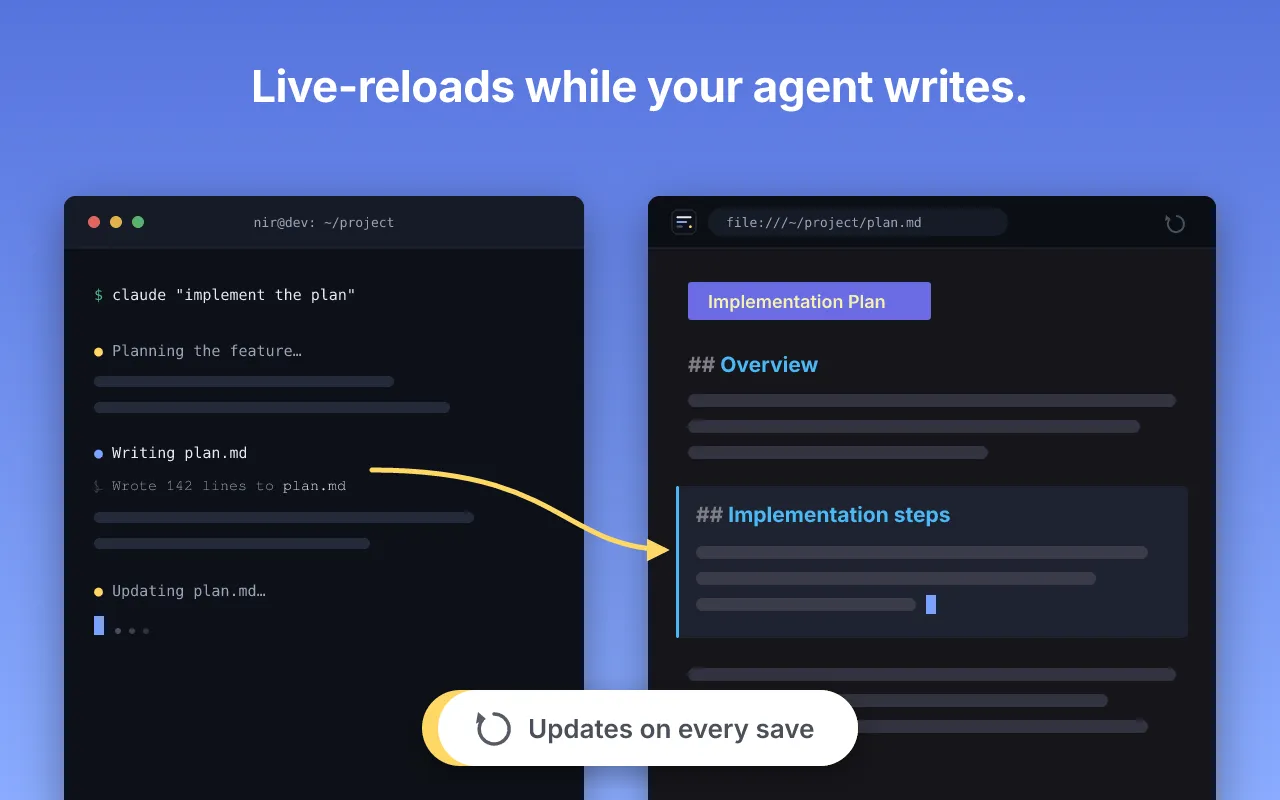
From agent output to a page you can read
- Your agent drops
plan.mdin the project folder, the way it already does. - Open it in a tab:
file:///…/plan.md. Skim renders headings, checklists, tables, code, and mermaid diagrams. - Leave the tab open. Every rewrite re-renders in place, scroll kept. Want to steer? Copy for AI puts clean markdown back on your clipboard in one click.
Every agent convention, rendered
Frontmatter cards
YAML headers render as a tidy key/value card, not a wall of raw dashes at the top of the file.
Folder view
An output directory becomes a reading list. Jump from plan.md to report.md without leaving the tab.
Mermaid & KaTeX
Architecture diagrams and math render as diagrams and equations, not fenced code left to rot.
Offline and private
A plan for your unreleased product never leaves the machine. No accounts, no network calls, nothing collected.
Skim is a viewer, nothing more. It doesn't run agents, call any LLM, or collect anything. It's the reading surface for the tools you already run, the page a plan.md becomes while it's still being written.
See it on your own agent output
Paste your last agent output into the free online viewer. Same engine as the extension, nothing uploaded. When you're ready for a tab that keeps up on its own, install once.