How to open .md files on a Mac
The 10-second answer
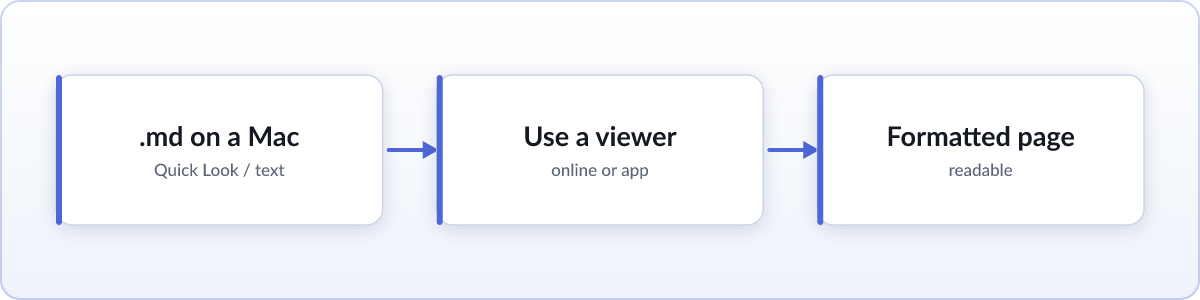
Select the file in Finder and press Space. Quick Look shows the raw text instantly, no app needed. That covers a quick glance. If you want the file properly formatted, with headings, bold text, and tables looking the way they were meant to, use the free online viewer for a one-off file or a browser extension if this happens often.
Quick Look and TextEdit (built in)
Space-bar preview is the fastest way to peek at any file on a Mac, markdown included, and it works with zero setup. For a bit more, right-click the file, choose Open With, and pick TextEdit. It opens .md files as plain text, showing the file exactly as written: a heading looks like ## Setup, bold text looks like **important**. Neither tool renders those marks into actual formatting. For a short note or a two-line file, that is genuinely all you need. It gets harder to read once a file has tables, code blocks, or more than a screen of text.
Formatted in one drag (no install)
For a properly formatted page with nothing to install, use the free online markdown viewer. Drag your .md file onto the page in Safari, Chrome, or any browser, and it renders instantly. Everything happens on your device: nothing is uploaded, so it is safe to use for private notes or work documents.
Formatted automatically, every time
If you find yourself opening markdown files regularly, install Skim, a free, open-source extension. It works in Chrome, Arc, Brave, and Edge on macOS, since all of them are built on Chromium and one extension install covers them all.
- Add Skim from the Chrome Web Store (or the Mac App Store for Safari).
- Flip the one file-access switch. Chromium browsers hide local files from extensions by default, for privacy, so you grant permission once. Skim shows you exactly where to click.
- Double-click any
.mdfile. From then on it opens as a formatted page automatically.
To make this permanent, select any .md file in Finder, press Command-I to open Get Info, choose your browser under "Open with," then click "Change All" so every .md file uses it by default.
Optional: native apps
If you also write markdown, not just read it, MacDown is a free native markdown editor, Obsidian is popular for building a full notes system, and VS Code has a built-in preview pane. None of these are necessary just to read a file someone sent you.
FAQ
Why does TextEdit show # symbols?
Because TextEdit shows the raw markdown source, not a formatted page. The # before a line marks it as a heading, but TextEdit does not render that mark, it just displays it.
Can Safari open .md files?
Safari downloads a .md file rather than displaying it. Chromium browsers, Chrome, Arc, Brave, and Edge, can render it formatted with an extension like Skim. Skim ships for Safari through the Mac App Store.
Is Quick Look enough?
For a quick look at the raw text, yes. It will not format headings or tables, and links are not clickable, so for anything you plan to actually read, a renderer is worth the extra step.