How to open a .md file (Windows, Mac, or no install at all)
What a .md file actually is
A .md file is a markdown file: plain text with a few formatting marks mixed in, like # for a heading, **bold** for bold, and - for a list item. It is not a program and it cannot run code on your computer, so it is always safe to open. GitHub projects ship a README.md with almost every repository. Note apps like Obsidian and Notion export to it. And AI tools such as Claude and ChatGPT increasingly write their answers, plans, and reports as .md files instead of plain chat text. If you just double-clicked one and got a wall of text with stray symbols, nothing is broken. The file just needs something that understands those marks and turns them into a formatted page.
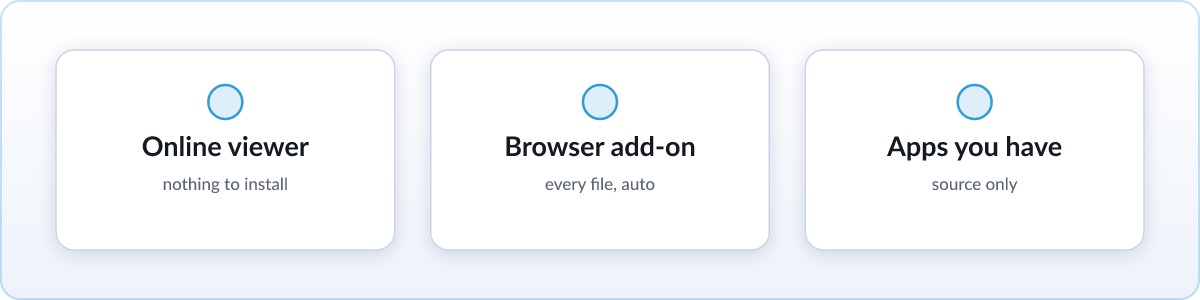
Fastest: open it online, nothing to install
If you only need to read one file right now, skip installing anything. Use the free online markdown viewer:
- Go to skim.md/viewer in any browser.
- Drag your
.mdfile onto the page, or click to choose it. - Read it, fully formatted, in a couple of seconds.
Nothing is uploaded. The file is rendered entirely on your device, so it works the same on a work laptop, a phone, or a computer you do not own. There is nothing to install and nothing to configure. If you only ever open a markdown file once in a while, this is genuinely the easiest option and you can stop reading here.
Best for repeat use: render it in your browser
If .md files keep landing in your downloads folder, a browser extension is worth the two minutes it takes to set up, because after that every file just works. Skim is a free, open-source extension that renders markdown automatically:
- Add Skim from the Chrome Web Store (Edge, Brave, Opera, and other Chromium browsers install it too; Firefox and Safari have their own store listings).
- Flip Chrome's one file-access switch. Chrome hides local files from extensions by default for privacy, so it needs your permission once. Skim shows you exactly where to click.
- Double-click any
.mdfile from now on. It opens as a formatted page instead of raw text, automatically, every time.
This is the "set it up once and forget it" option. It also handles things the quick online viewer intentionally skips to stay light, like live reload while a file is still being written and diagrams.
With apps already on your computer
You do not strictly need a new tool at all. Everything already on your machine can open a .md file, it just will not format it.
On Windows, right-click the file, choose Open with, and pick Notepad, or run notepad file.md from a terminal. You will see the raw text, headings marked with #, bold text wrapped in **, and so on. That is fine for a quick glance at a short file.
On a Mac, TextEdit opens it the same way: right-click, Open With, TextEdit. Or select the file and press Space for Quick Look, which shows the raw text without opening a full app.
On any operating system, VS Code opens .md files with a built-in preview pane, so you can see the source and the formatted version side by side. That is a solid middle ground if you already have VS Code installed for other reasons.
Be honest with yourself about what these give you: the source, not the formatted page. Fine for a two-line file, tedious for anything with tables, code blocks, or more than a screen's worth of text.
FAQ
Is a .md file safe to open?
Yes. It is plain text; it cannot run programs. Renderers like Skim also sanitize any embedded HTML before displaying it, so even a file from an untrusted source is safe to view.
Can I convert a .md file to PDF?
Yes. Render it first, either with an extension or the online viewer, then use your browser's Print dialog and choose Save as PDF.
Can I edit a .md file?
Any text editor works: Notepad, TextEdit, VS Code, or whatever you already have. Markdown is just text with a few light formatting marks, so nothing special is required to change it.