How to open .md files on Windows 11
The 10-second answer
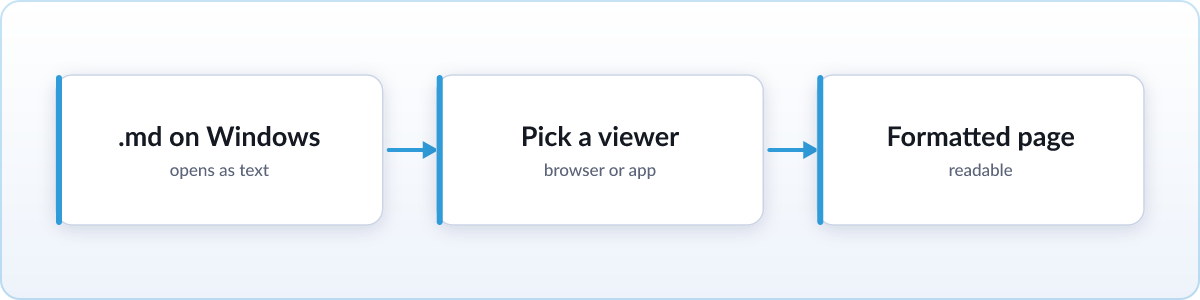
Windows 11 does not render markdown out of the box, so double-clicking a .md file just opens raw text in whatever app is set as default. You have three real options, ranked by how they read: a browser extension gives you a formatted page automatically every time, a free online viewer gives you a formatted page with zero install, and Notepad gives you the raw text with nothing to set up at all.
Option 1: Notepad, built in, raw text
Right-click the file, choose Open with, and pick Notepad, or run notepad file.md from a terminal. You will see the file exactly as written: a heading looks like ## Setup, bold text looks like **important**, and a link looks like [click here](https://example.com). Nothing is formatted. That is fine if you just need to scan a short file for one piece of information, like a version number or a single command. It gets tiring fast on anything longer, especially files with tables or code blocks, where the raw marks make the content genuinely hard to follow.
Option 2: free online viewer, formatted, no install
For a properly formatted page with nothing to install, use the free online markdown viewer. Open it in Edge or Chrome, drag your .md file onto the page, and it renders instantly: headings, bold text, tables, and code blocks all appear the way they were meant to look. Nothing is uploaded. The file is processed entirely on your machine, so it works the same on a personal laptop or a locked-down work computer.
Option 3: render every .md automatically in your browser
If you open markdown files often, whether from GitHub downloads, note apps, or AI tools, install Skim once and stop thinking about it. Skim is a free, open-source extension that works in Chrome, and Edge runs Chrome extensions too, so the same install works there.
- Add Skim from the Chrome Web Store. Edge, on Windows 11, installs Chrome Web Store extensions too.
- Flip the one file-access switch. Chrome and Edge both hide local files from extensions by default, for privacy, so you grant permission once. Skim shows you exactly where the toggle is.
- Double-click any
.mdfile. From then on it opens as a formatted page automatically, with no extra steps.
To make this the permanent default so every .md file opens in your browser without a right-click, go to Settings, then Apps, then Default apps, type .md in the search box, and choose your browser from the list.
Optional: full editors
If you also write markdown, not just read it, VS Code has a free, built-in preview pane that shows source and formatted output side by side, and Obsidian is a solid choice if you are building a whole notes system. Neither is necessary just to read a file someone sent you.
FAQ
Can Notepad open .md files?
Yes, as raw text. It shows the file exactly as written, including formatting marks like # and **, without rendering them.
How do I make .md files always open in my browser?
Go to Settings, then Apps, then Default apps, search for .md, and set your browser as the default. Every .md file will then open there when you double-click it.
Is .md the same as .markdown?
Yes. Both extensions mark the same plain-text markdown format. Some tools default to the shorter .md, others use the longer .markdown, but the content inside is identical.