What is a CLAUDE.md file?
Claude Code's project memory
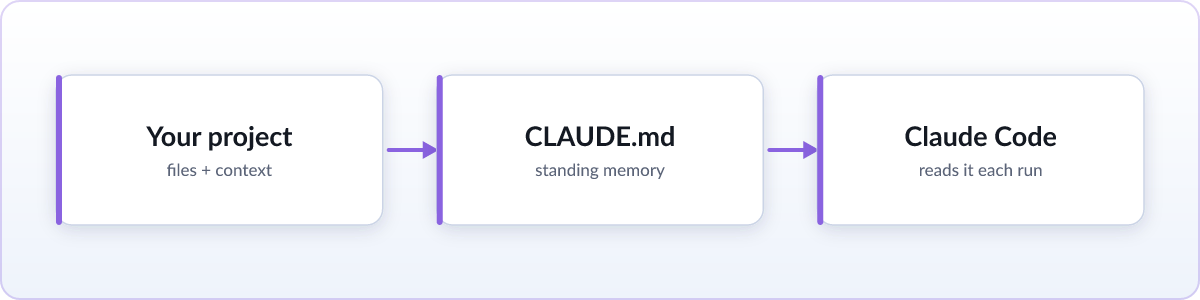
CLAUDE.md is a plain markdown file that Claude Code, Anthropic's coding agent, reads automatically at the start of a session. It's the place project-specific instructions live: the things you'd otherwise have to repeat at the start of every conversation. Put them in CLAUDE.md once, and Claude Code picks them up on its own from then on, no need to paste them into the chat again.
What people actually put in it
Most CLAUDE.md files cover a similar set of ground. The exact commands to build, test, and lint the project, so Claude doesn't have to guess or search for a package.json script by trial and error. Style rules that aren't enforced by a linter: naming conventions, preferred patterns, things to avoid. And architecture notes: how the pieces fit together, which directories are generated output versus hand-written source, and any part of the codebase that's easy to misunderstand at a glance. It reads like an onboarding note for a new teammate, because that's roughly the job it does, just for an agent instead of a person.
Plain markdown, nothing more
There's no special syntax or proprietary format involved. CLAUDE.md is markdown: headings with #, lists with -, code spans with backticks, the same formatting you'd use in any README. That's deliberate. Plain text is easy for a human to write and skim, easy for an agent to parse, and it produces clean, readable diffs when it changes, so updates to your project instructions show up in code review just like any other change worth reviewing.
Where it lives
A CLAUDE.md at the root of a repository is the common case, and it's what Claude Code looks for first. But it isn't limited to one location: you can also place a CLAUDE.md in a subdirectory for instructions specific to that part of a larger project, and Claude Code layers those in when it's working there. There's also a user-level file, kept under ~/.claude, for instructions you want applied across every project you work on, separate from anything checked into a particular repo.
How it relates to AGENTS.md
CLAUDE.md is Claude Code's own file, and it plays well with AGENTS.md, the open convention several coding agents have adopted for project instructions. A CLAUDE.md can import AGENTS.md with a one-line @AGENTS.md reference, so the shared instructions live in one place and both files stay in sync. The two aren't in competition so much as overlapping layers: broadly speaking, the ecosystem is converging on AGENTS.md as a shared, tool-agnostic base, while a tool-specific file like CLAUDE.md remains a natural place for notes particular to that tool. Exactly how much any given agent leans on one file versus the other shifts over time as tools evolve, so it's worth treating this as a general direction rather than a fixed rule, and checking your agent's current docs if the precise behavior matters for your setup.
How to read or review one
Reading a CLAUDE.md doesn't require anything beyond a text editor: it's plain markdown, so the raw file is already readable, formatting marks and all. On GitHub, it renders formatted automatically in the repository browser. For a quick formatted view elsewhere, our free online viewer renders any markdown file you drag onto it, with nothing uploaded. And if you're using Skim while you work, it renders CLAUDE.md like any other markdown file, with live reload, which is genuinely useful here for a specific reason: CLAUDE.md is a file that keeps changing. You hand-edit it as your project's conventions evolve, Claude Code's /init command generates or updates it, and when you ask Claude to remember a project rule, it can write that rule into the file. Leave CLAUDE.md open in a tab with live reload and you see each of those changes as it lands, which makes it easy to catch an instruction that came out wrong before it quietly steers future sessions.
None of that is required, though. A plain text editor is a perfectly good way to read a CLAUDE.md file; the viewer and Skim's live reload are conveniences for when a formatted, up-to-date view is worth the extra step, not a requirement for understanding the file.
For markdown that arrives outside your repo, like answers Claude or ChatGPT hand you directly in chat, see our guide on reading a .md file from Claude or ChatGPT.
FAQ
Does CLAUDE.md work with other AI tools?
CLAUDE.md itself is a Claude Code convention, so other tools don't look for it by that name. But because it's plain markdown, any tool or person can open and read it regardless. If you want instructions read by multiple agents, AGENTS.md is the more broadly adopted shared convention.
CLAUDE.md vs AGENTS.md, what's the difference?
CLAUDE.md is specific to Claude Code and is read by it automatically. AGENTS.md is an open convention read by a wider range of coding agents. Many projects keep both: AGENTS.md for instructions any agent should see, CLAUDE.md for notes specific to working with Claude Code.
Where should CLAUDE.md live?
Most commonly at the root of your repository, which Claude Code reads at the start of every session there. You can add more in subdirectories for area-specific instructions, and a user-level copy under ~/.claude for preferences that apply across all your projects.