Put an interactive quiz inside a markdown file
The trick: a quiz that hides in an HTML comment
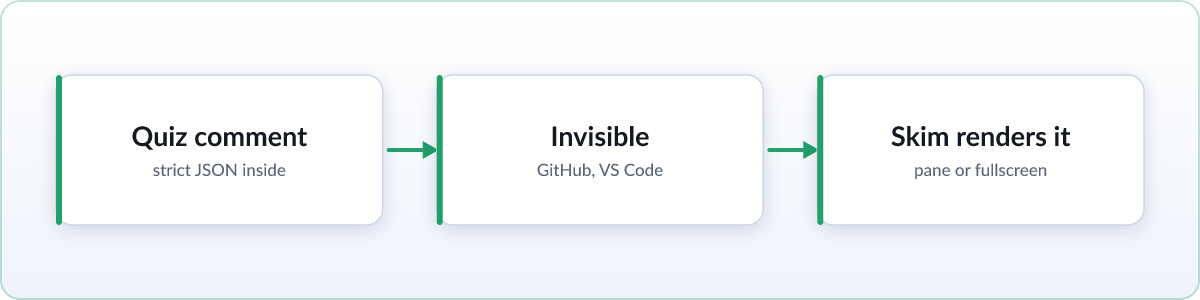
Markdown has no quiz syntax, and it does not need one. Every markdown renderer already ignores HTML comments, so a quiz that lives inside one is invisible everywhere: GitHub shows the document unchanged, VS Code shows it unchanged, Obsidian, cat, and Skim's own reading view all show it unchanged. The file stays a normal .md file you can commit, share, and diff.
Skim 2.3.0 introduces the Skim Quiz Protocol v1: a small, documented convention for embedding choice quizzes in exactly that way. A quiz is one HTML comment starting with the marker SKIM-QUIZ, followed by a JSON object. When you open the file in Skim, a Quiz button appears in the page settings panel and offers to render it. Everywhere else, nothing happens, by design.
The format, in one example
Paste a block like this anywhere in the file (the end is conventional):
<!-- SKIM-QUIZ
{
  "skimQuiz": 1,
  "id": "norms-check",
  "title": "Norms on R^n",
  "description": "Quick check: homogeneity and the triangle inequality",
  "layout": "full",
  "pass": 0.7,
  "questions": [
    {
      "q": "Which of these is **not** a norm on $\\mathbb{R}^2$?",
      "choices": [
        "$\\|x\\|_1 = |x_1| + |x_2|$",
        "$f(x) = x_1^2 + x_2^2$",
        "$\\|x\\|_\\infty = \\max(|x_1|, |x_2|)$"
      ],
      "answer": 1,
      "hint": ["Norms are homogeneous.", "What happens to $f(2x)$?"],
      "explain": "Scaling $x$ by $t$ scales $f$ by $t^2$, so homogeneity fails."
    }
  ]
}
-->
The JSON is strict: double quotes, no trailing commas, and LaTeX backslashes doubled. skimQuiz: 1, a title, and at least one question are required. Each question has a q, two to ten choices, and an answer given as a zero-based index; an array of indices makes the question multi-select. Everything else is optional: a description for the picker, a layout of half or third for a side pane or full for fullscreen, a pass threshold, shuffle to reorder questions per attempt, one or more progressively stronger hints, and an explain shown during review.
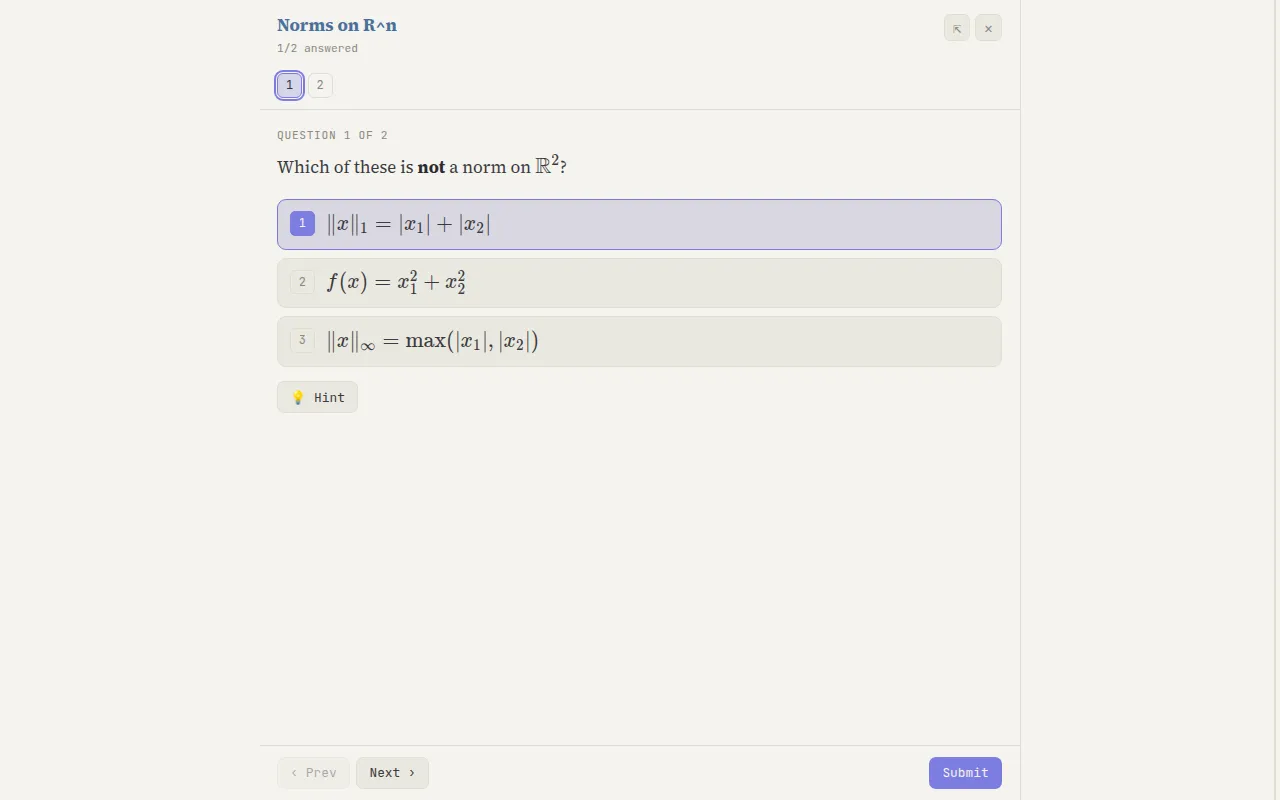
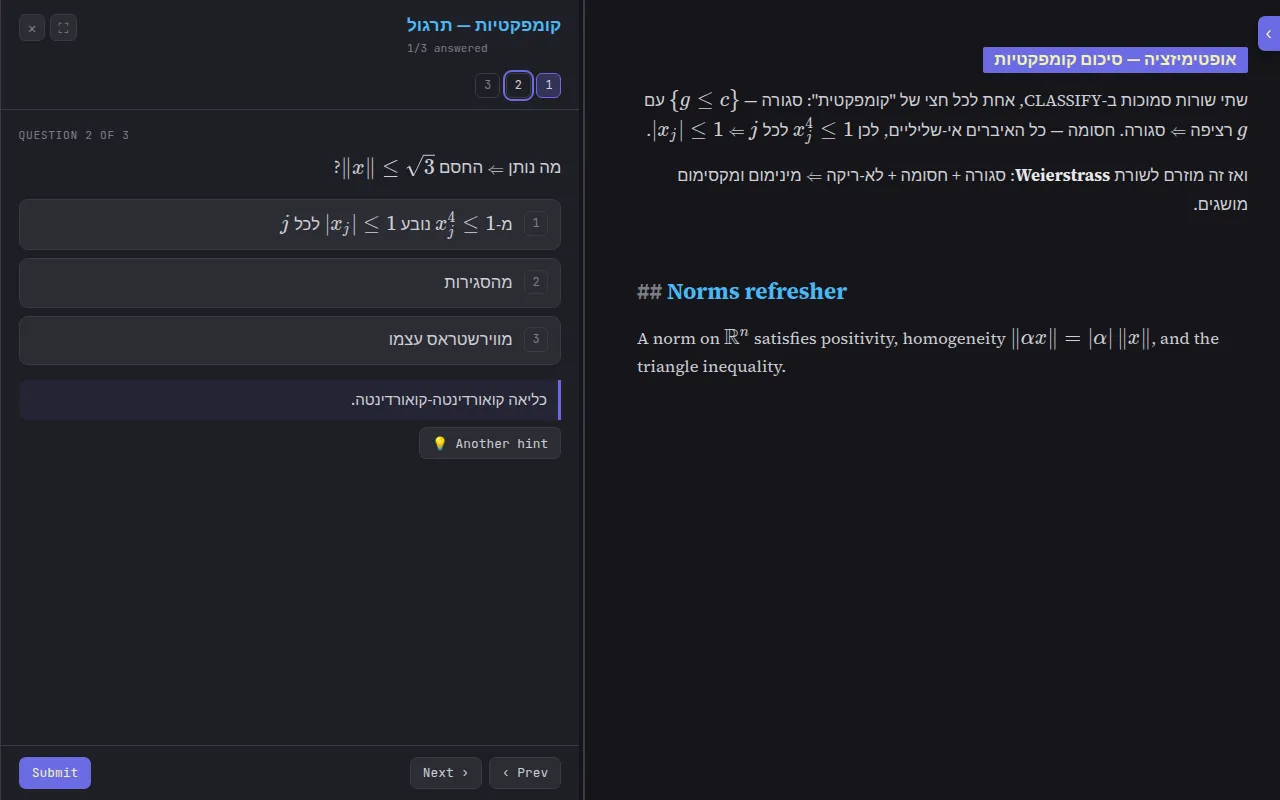
Question, choice, hint, and explanation text is full markdown with LaTeX math, and Hebrew, English, or a mix of both render with correct direction, handled by the same bidi engine Skim uses for documents. Here is the quiz above, rendered fullscreen:
Or have an AI write it for you
The full authoring spec ships inside the extension, and the fastest way to use it is to not read it. The Skim toolbar popup has a one-click line, Copy Skim Markdown Quiz Skill, that copies the whole protocol to your clipboard. Paste it into Claude or ChatGPT together with your notes and ask for a quiz. The agent gets the exact format, the escaping rules, and the content guidance, so what comes back drops straight into the file. This is the workflow the feature was built around: lecture notes in, drill quiz out, and the file still looks untouched to everyone else.
Taking a quiz
Open the file in Skim, press the Quiz button in the page settings panel, and the quiz opens beside the document in a resizable pane. Drag the divider to make it wider or narrower, drag it all the way to the edge for fullscreen, and if you shrink it below its minimum, Skim asks before closing so a stray drag cannot eat your answers. A numbered palette tracks every question, colored by state: answered, correct, or wrong. Hints reveal one at a time, gentlest first.
The browser's Back button closes the quiz and returns you to the document; Forward reopens it with your answers intact. Nothing about the page is lost either way.
Scores, pass bars, and review
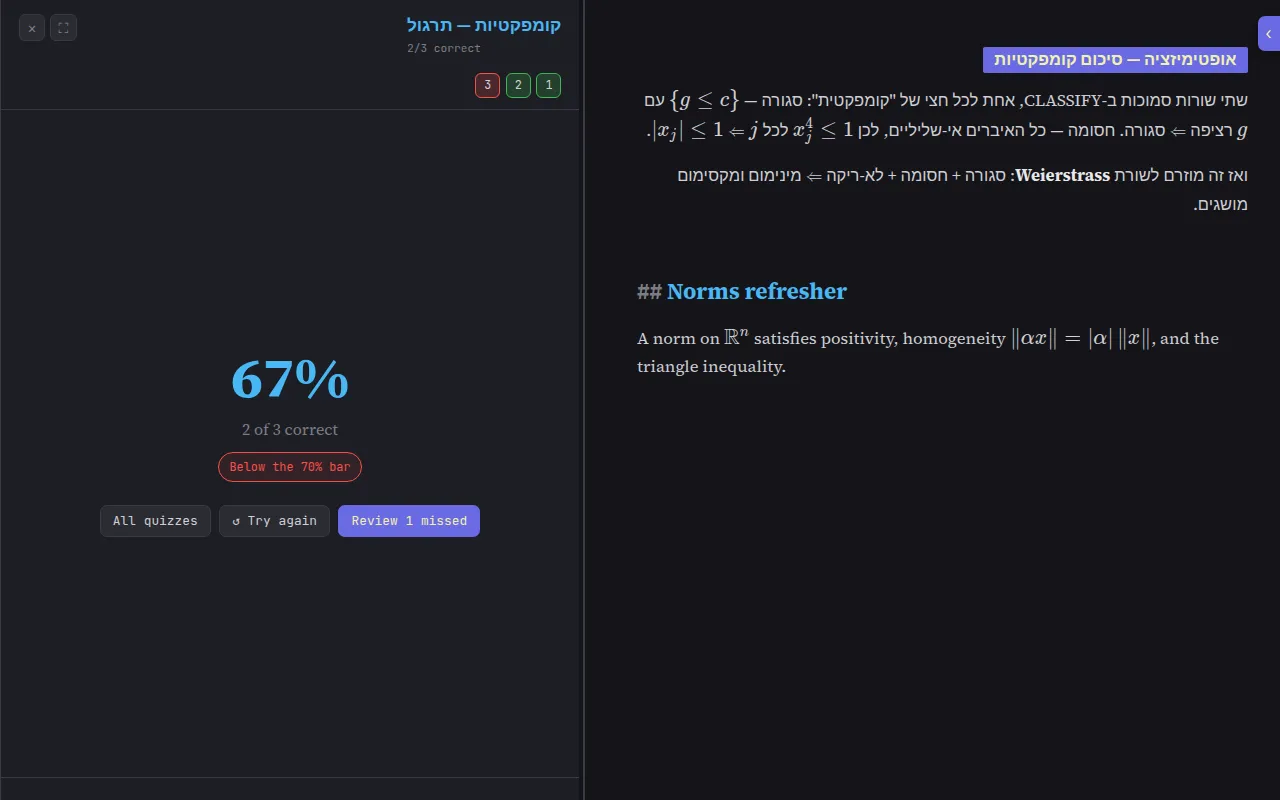
Submitting shows a score screen: your percentage, how many you got right, and, if the quiz set a pass threshold, whether you cleared the bar. From there you can retry, jump back to the palette, or review just the questions you missed, each with its explanation. Skim remembers your best score and attempt count per quiz, stored locally in your browser and never transmitted.
Several quizzes in one file
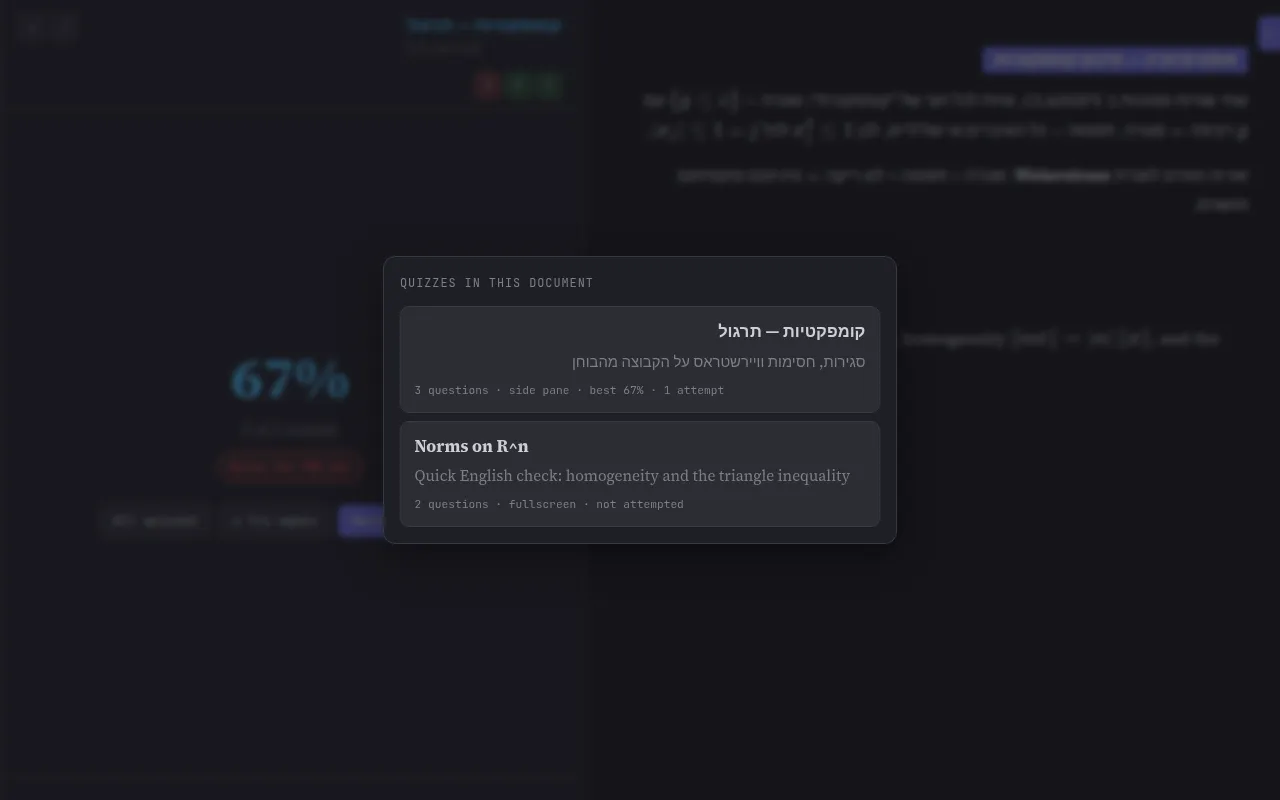
A file can carry any number of quiz comments. Long study notes might end with a quick concept check, a harder drill, and an exam simulation. Skim lists them in a picker with each quiz's question count, layout, your best score, and how many attempts you have made, so you can see at a glance what is left to beat.
Where it works
Quizzes ship in Skim 2.3.0 and work anywhere Skim renders markdown: local file:// files, files served over http, and markdown pasted through the clipboard viewer. Like the rest of Skim, the feature is free, open source, and entirely on-device. There is no account, no sync service, and no telemetry; your questions and your scores never leave the machine. Your browser updates the extension automatically, usually within a day of release.
FAQ
Will the quiz show up on GitHub or in VS Code?
No. The quiz lives in an HTML comment, which every markdown renderer ignores. GitHub, VS Code, Obsidian, and even Skim's own reading view show the document unchanged. Only Skim's Quiz button reveals it, and only when you ask.
What can go inside the questions?
Full markdown plus LaTeX math, in questions, choices, hints, and explanations. Hebrew, English, and mixed-direction text all render correctly, handled by Skim's bidi engine.
Are my quiz scores uploaded anywhere?
No. Best scores and attempt counts are stored locally in your browser, per quiz. Nothing is transmitted and there is no account.
How do I get Claude or ChatGPT to write a quiz for my notes?
Open the Skim toolbar popup and click Copy Skim Markdown Quiz Skill. That copies the full Skim Quiz Protocol v1 to your clipboard. Paste it into the AI chat with your notes and ask for a quiz; the result is a comment block you paste at the end of your file.